



Spinanzia Mobile Access
The Spinanzia app gives you direct access to thousands of online slots and live games on your phone. You get a fast way to spin the reels and make payments. You just log in to play with the exact same account you use on a desktop. Our mobile casino loads pages and games quickly so you do not wait around. It runs without glitches on any modern Android or iOS device.



Using Spinanzia on Mobile
The casino gaming experience naturally fits the mobile format. This is why around 80% of players worldwide launch their slots on phones, and with Spin Anzia Casino, you will not have to make an exception.
The first thing you can do is access the platform through a standard browser. We moved all extra features and details into side menus to leave more room for our games. You also get a dashboard at the bottom with the main sections, including bonuses and payments, just like in the Spinanzia app.
If you want to bypass the browser and launch the casino in a separate window, try the Spinanzia app. Here are the advantages you receive:
- No functionality is cut. We offer mobile players all our 6,000+ games, along with the complete bonus program featuring cash rewards and free spins.
- Faster sessions. Thanks to the saved cache, you quickly load any slots and open pages you’ve already visited.
- Adaptability. In the Spinanzia app, instant win titles like Aviator work perfectly in portrait mode. To play live roulette or poker, you can easily switch to landscape.
- You do not need a desktop for payments. In the Spinanzia mobile app, you can make deposits and withdrawals using bank cards or crypto, exactly like in the PC version. You also get new fast options like Google Pay and Apple Pay.
Even if you have a compact phone, our platform fits your screen. You will not have to scroll through endless game lists because we have an advanced search tool. There, you can filter titles by providers and features.
Spinanzia App for Android
If you own an Android gadget, you can install our solution from the Spinanzia official site. It is a PWA (progressive web app). It acts as a shortcut to our web platform and functions just like a native Android app, but it offers clear advantages. It takes up very little space on your phone. You also avoid the need to download a Spinanzia APK file from third-party resources.
You won’t even have to look for the Spinanzia download app button. Here is how you set up the software:
- Open the official casino website in Chrome or another modern Android browser.
- Log in or create your account.
- Tap the browser menu near the address bar.
- Select “Add to Home screen”.
- Confirm the action and launch Spin Anzia Casino via the new icon.
Now you can open the casino with a single tap and turn on push notifications. We will notify you about new bonuses and our active tournaments to help you get your rewards and check the leaderboards in time.
How to Get the Most Out of the Spinanzia App
The simple tips below will help you get maximum comfort when you play at Spinanzia Casino on your phone:
| Tip | Details |
| Set a longer auto-lock timer | It is inconvenient when your screen constantly goes dark while you want to place a bet in live blackjack or roulette. |
| Lock display rotation | If your screen jumps from portrait mode to landscape, you can lock the rotation for a while so your mobile gambling session is not interrupted. |
| Connect to a reliable network | A fast Wi-Fi connection will help keep your session stable, especially in Spin Anzia Casino live games. Avoid public unprotected Wi-Fi networks because of slow speeds and weak security. |
| Clear the cache from time to time | If you use the app for a long time and notice slight freezes, clearing the cache might help. Too much stored data slows down the lobby. |
Spinanzia App for iOS
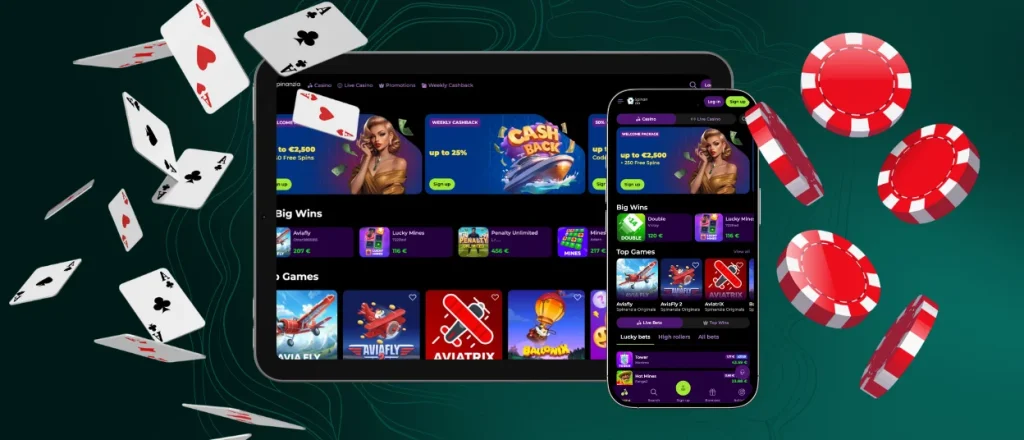
If you have an iPad or an iPhone, you can easily get the Spin Anzia app. To start, visit our site using Safari and select the “Share” option. Then you tap “Add”, and the icon appears on your home screen.
Playing on an iOS device is especially convenient when you open mobile slots like Le Bandit by Hacksaw Gaming. You start the game with a single tap. The reels and the main grid with large symbols take up most of the screen to help you see the action clearly even on a small phone. At the bottom of the iOS app, you find a simple menu with the spin button and your bet settings. We hide the extra details in dropdown lists so you can enjoy the visuals.
Desktop App for Windows and macOS
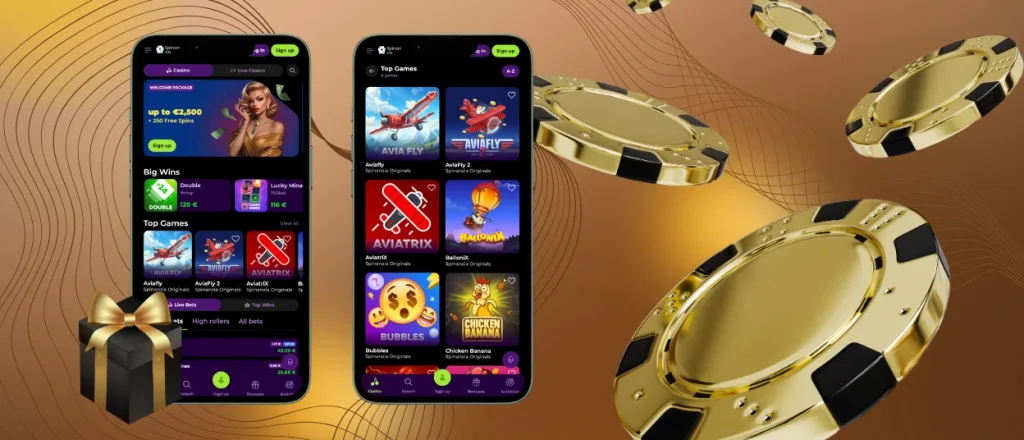
PC users can also get our casino to install directly on their desktop. You can run it completely separately from your web browser. To play directly from your desktop, just start the Spinanzia app download right from our main page. The software works on Windows and macOS. It also runs perfectly on alternative setups like Linux or ChromeOS. When you open our site on a computer, a prompt appears right in the address bar to let you install the app. You also have the option to click the small icon showing a computer and an arrow.
When you start Spinanzia Casino from your desktop, you do not have to look at other tabs or the browser address bar. You can turn on push notifications here just like you do on a phone. If you want to play live games, you can easily open them in full-screen mode. Colorful live shows like Sweet Bonanza Candyland or Dream Catcher look much better this way.
FAQ
Is registration mandatory for Spinanzia app users?
Players who already have an account can just use their existing login details in the Spin Anzia app. If you are a newcomer, you need to sign up before you can bet with real money. You also have the option to pass the verification process directly on your mobile device. You take a picture of your ID and any other requested documents with your camera, then upload them straight to your Spinanzia Casino profile. The mobile casino uses a secure connection to protect your personal information.
Is the Spinanzia app available in the App Store or Google Play?
You do not need to look for our software in third-party stores. You can install the casino directly from our official website.
Does the Spinanzia Casino app include support team access?
Yes, we have a live chat widget right on the mobile betting platform. If you have a question about the software or your account, just write to us. Our support team will answer in seconds.


